01
A microphone, at hand.
No microphone on your desktop Mac? Use the one in your remote. Mi Remote Helper sends its audio to WeChat Input, which turns your words into text.
 Mi Remote Helper
Turn your Xiaomi remote into a microphone and a set of shortcuts. Hold to speak. Release to finish. Keep your hands where they are.
Free & open source · Apple Silicon · macOS 14+
A familiar little device. A few new possibilities.
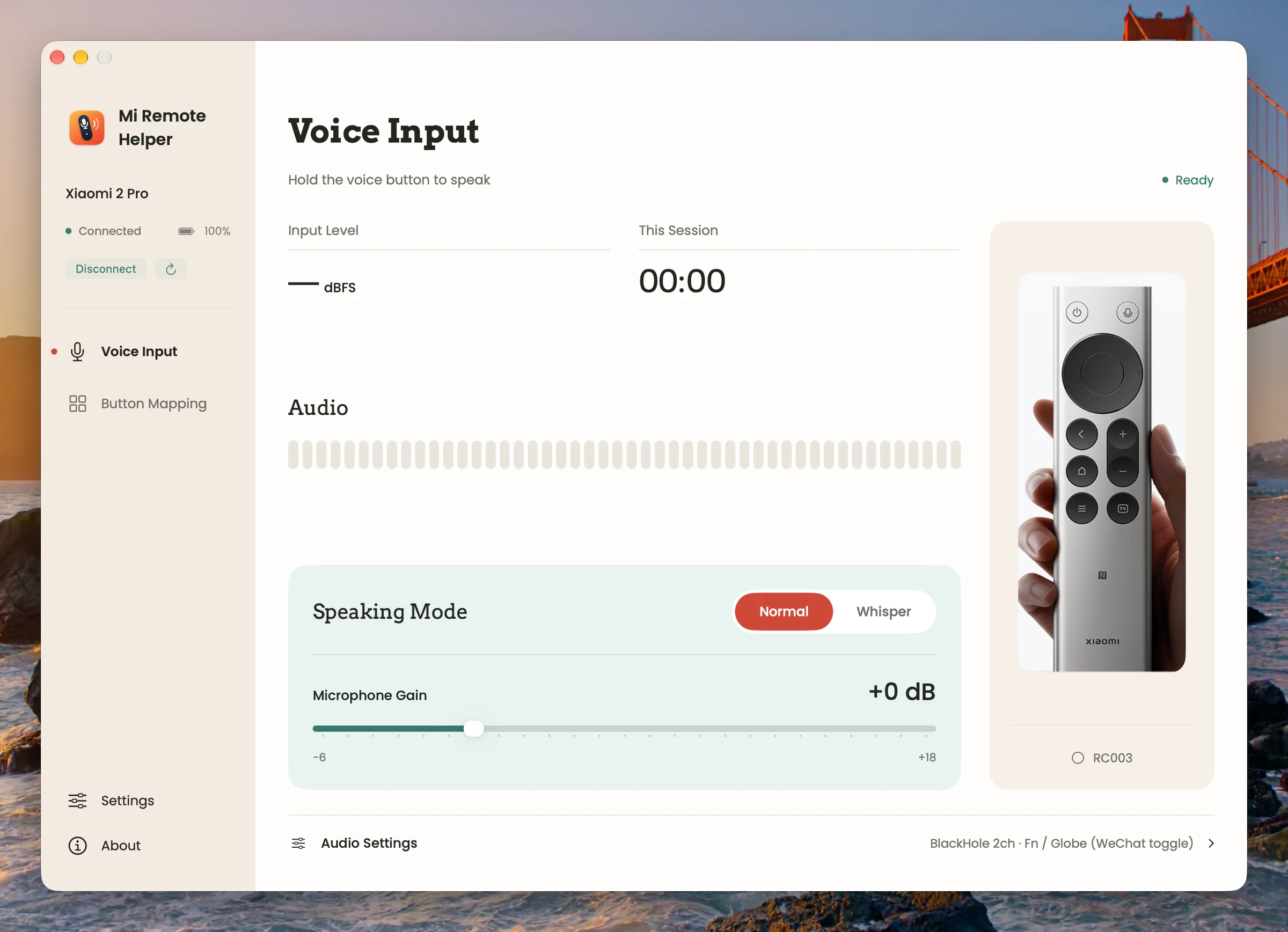
Actual app screenshots. Available in English and Simplified Chinese.
Small device. Useful details.
No microphone on your desktop Mac? Use the one in your remote. Mi Remote Helper sends its audio to WeChat Input, which turns your words into text.
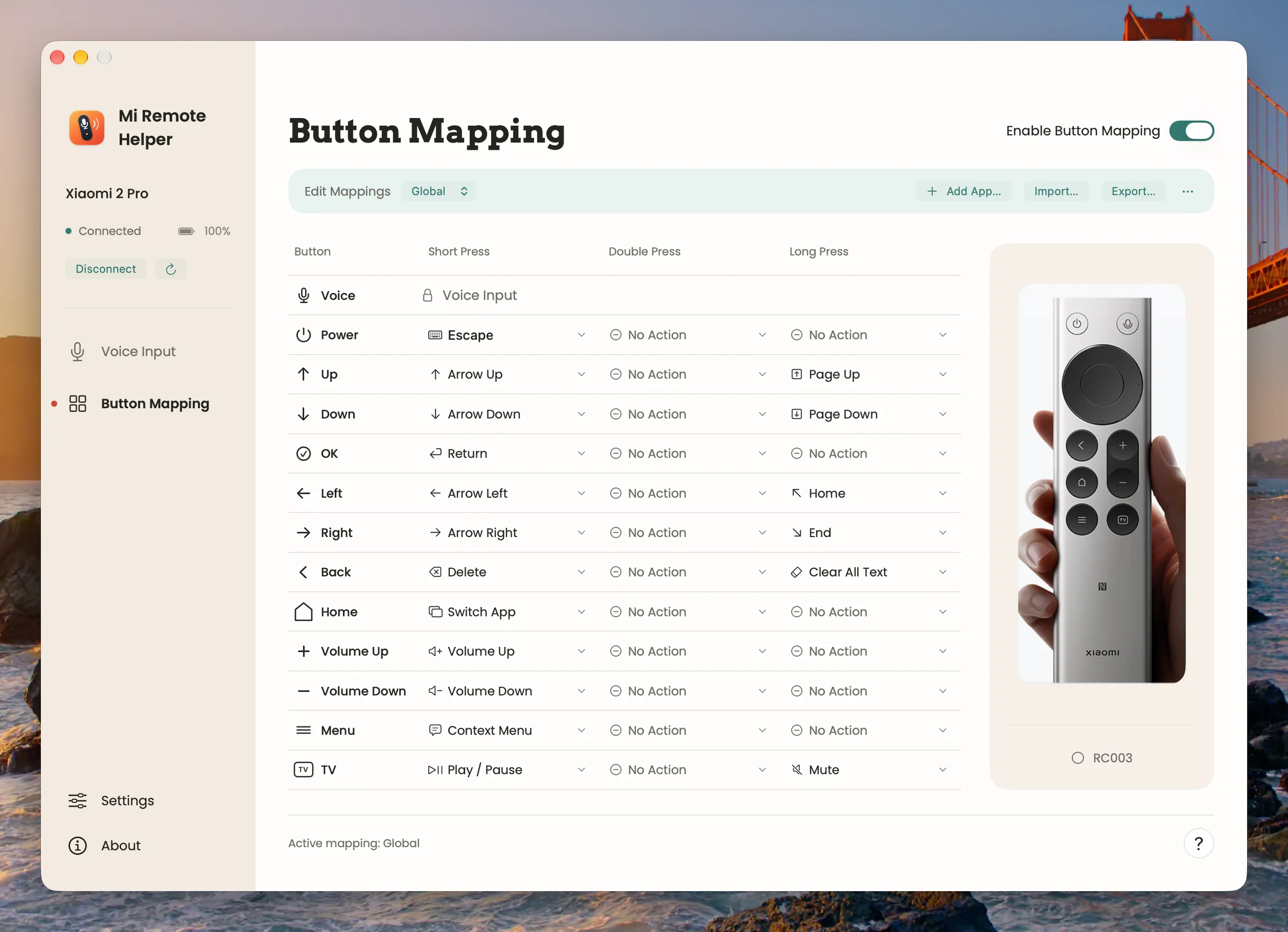
Give 12 buttons their own short, double and long press actions. Set global shortcuts or tailor them to an app. The voice button stays dedicated to dictation.
Adjust microphone gain, try whisper mode, and see the input level. Keep your virtual microphone selected when headphones connect or disconnect.
Short, double and long press. Global or app-specific.
The simplest part
Focus a text field first. Your input method handles recognition.
A few things to connect
Set it up once. Then keep your remote nearby.
Connect a Xiaomi Bluetooth Remote 2 Pro (RC003) in your Mac’s Bluetooth settings.
Install BlackHole 2ch separately. It carries the remote’s sound into your input method.
Choose Fn / Globe or Left Control in both apps. In WeChat Input, use “tap to start, tap again to stop”.
Grant Bluetooth and Accessibility access. Button mapping also needs Input Monitoring. Focus a text field, then hold the voice button.
No. Mi Remote Helper delivers microphone audio and triggers your chosen shortcut. WeChat Input performs speech recognition.
macOS needs an audio device that an input method can listen to. BlackHole is the virtual connection between your remote’s microphone and WeChat Input. Install it separately; it is not bundled with this app.
Yes. Focus a text field before speaking. Button mappings can be global or app-specific, with import and export for portable configurations. The app does not move text-field focus for you.
It disables audio smoothing and keeps a separate gain setting. Recognition still depends on your input method; improved whisper recognition is not guaranteed.
Mi Remote Helper does not record or upload audio. Your input method handles recognition under its own privacy policy.
One small helper for the Mac you already use.
Download for Mac